

Overview & Analysis
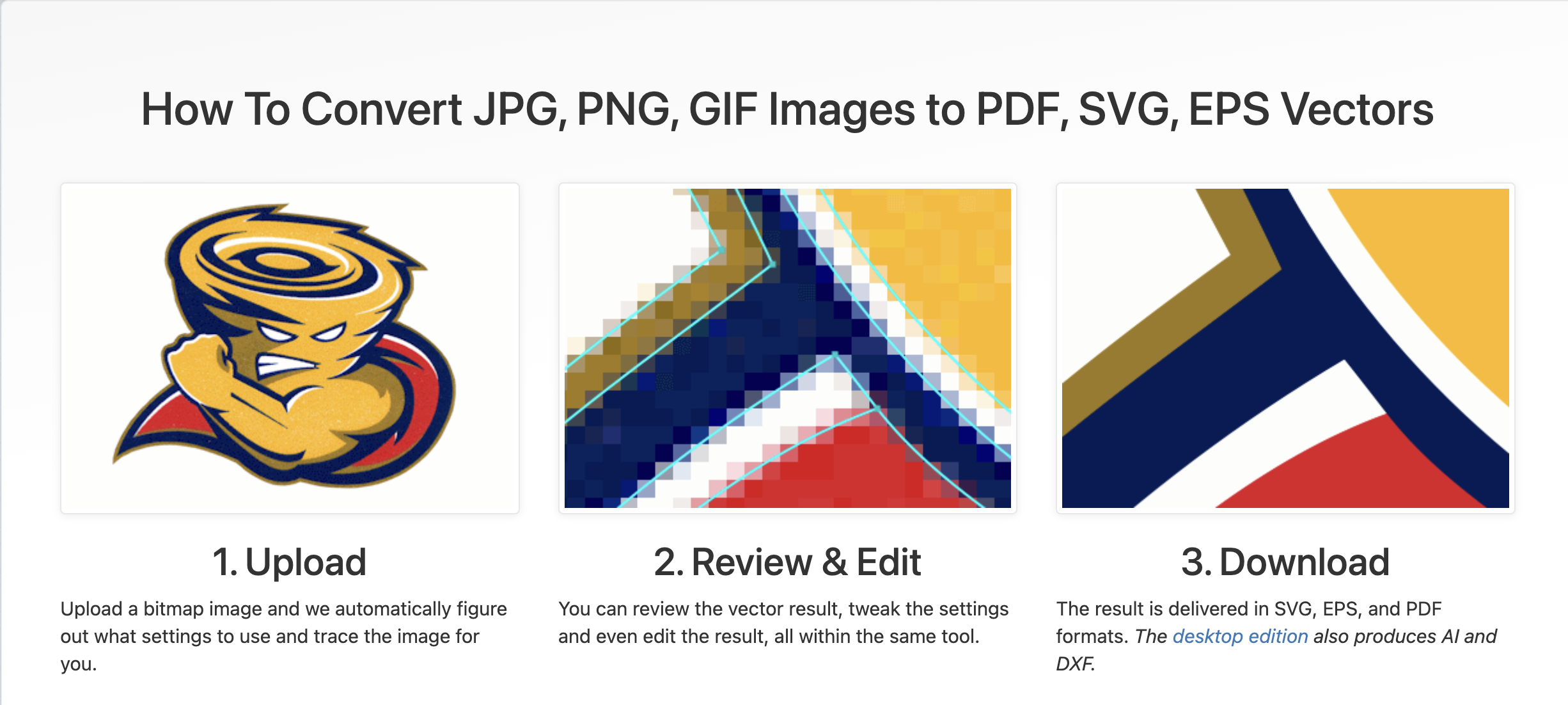
Vector Magic is an automatic image vectorization tool that converts bitmap images such as JPG, PNG, GIF, and BMP into scalable vector formats like SVG, EPS, PDF, and AI. The platform uses advanced auto-tracing technology to generate clean and editable vector graphics without manually redrawing images in software like Adobe Illustrator.
Vector Magic is widely used for:
- Logo conversion
- Graphic design
- Printing
- Vinyl cutting
- Embroidery
- CNC and laser cutting
- Print-on-demand businesses
The platform offers both:
- Online Edition (browser-based)
- Desktop Edition for Windows and Mac
The desktop version supports additional features such as:
- Batch processing
- Offline usage
- AI/DXF export
- Large image handling
- Advanced editing controls
Users can upload an image, preview the vector result instantly, and export professional-quality vector files for commercial or personal use.
Key Features
Automatic Vectorization
Automatically converts bitmap images into scalable vector graphics within seconds.
SVG / EPS / PDF Export
Exports vector files compatible with design, printing, and cutting software.
Desktop Offline Application
Provides a desktop version for Windows and Mac with offline functionality.
Batch Processing
Allows users to process multiple images simultaneously in the desktop edition.
Advanced Vector Editing
Offers detailed segmentation and vector adjustment controls for cleaner results.
Drag-and-Drop Workflow
Supports quick image uploads through drag-and-drop for a smoother workflow.
✅ Pros
- Fast PNG/JPG to SVG conversion
- High-quality automatic vector tracing
- Supports SVG, EPS, PDF, and AI export
- Easy to use for beginners
- Available as both web app and desktop software
- Useful for logos, printing, and cutting files
- Supports batch processing on desktop version
- Detailed vector preview before export
- Compatible with professional design workflows
- Works offline with desktop edition
❌ Cons
- Desktop version is relatively expensive
- No completely free export option
- Complex images may require manual cleanup
- Limited handling of difficult gradients and tiny details
- Subscription required for full online exports
- Desktop interface feels slightly outdated